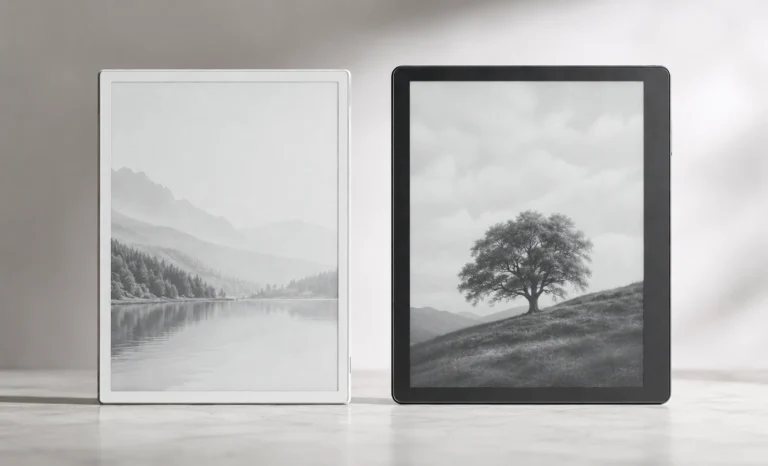
Not many hardware startups manage to create an entirely new product category and then quietly dominate it for the better part of a decade. But guess what reMarkable did exactly that.
The company was founded in 2013 in Bergen, Norway, by Magnus Wanberg, with one idea that most people in the tech industry considered too niche to bother with. A tablet built only for writing and reading, with no apps, no notifications, and a screen that looked and felt like real paper. No entertainment, no multitasking, no distractions. Just a digital surface that behaved the way a notebook does.
When the first reMarkable tablet shipped in 2017, the response was genuinely surprising. People who had spent years complaining about how regular tablets pulled their attention in twelve directions at once finally had something designed from the ground up to resist that pull.
The reMarkable 2 arrived in 2020 and pushed the category further. By the mid-2020s, the reMarkable ecosystem had grown to include the premium Paper Pro with a color canvas display, the portable Paper Pro Move, and a software platform connecting all of them through cloud sync, calendar integrations, and handwriting recognition.
The Paper Pure is where that entire journey lands in 2026. It is the successor to the device that made reMarkable a household name in the E Ink world, rebuilt with six years of feedback, improved hardware, smarter lookcand a clearer sense of exactly what it is going to be used for.
There is something oddly satisfying about picking up a device that just gets out of your way. No notifications. No glowing screen begging for your attention. No temptation to check something else mid-sentence. Just a blank page and a pen, except it is digital and it weighs less than a paperback novel.
That is what the reMarkable Paper Pure promises. And after the reMarkable 2 sat mostly unchanged for nearly six years, the Paper Pure launched on May 6, 2026 as its official replacement, bringing real improvements to speed, storage, sustainability, and writing feel, all at the same starting price. If you have been sitting on the fence about getting a dedicated E Ink writing tablet, this is probably the cleanest entry point the category has seen in years. Let me walk you through everything, slowly and honestly.
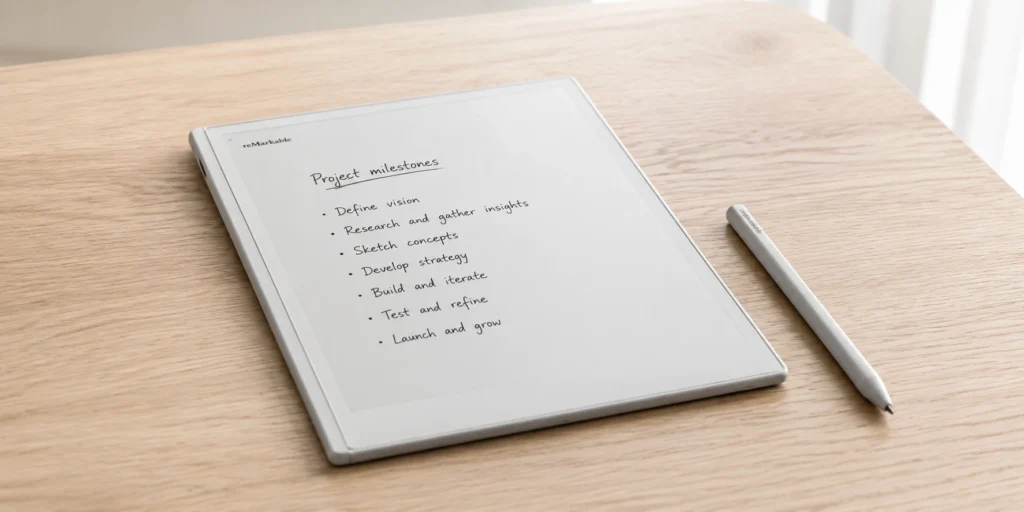
Are the reMarkable Paper Pure and reMarkable 3 the same thing?
Yes. And also, technically, no. Let me explain this right away.
When reMarkable announced the Paper Pure in May 2026, a lot of people on forums, Reddit threads, and YouTube comments started calling it the reMarkable 3 almost immediately. It is not hard to understand why. The original reMarkable came out in 2017, the reMarkable 2 followed in 2020, and now six years later there is a brand new device replacing the reMarkable 2 at the same price point.
The pattern is obvious as a continued Tablet series. So naturally, people filled in the blank themselves.
But here’s to keep in mind one thing is that reMarkable never called it that themself. Not once in any press release, product page, or official statement. The company deliberately moved away from numbered naming and gave it the Paper Pure name instead, which fits within their current lineup of Paper Pro and Paper Pro Move. It is a branding decision more than anything else, an attempt to build a proper product family with consistent naming rather than just counting upward with each generation.
So you can in a way say that it is the third-generation entry-level reMarkable tablet. It replaces the reMarkable 2 directly. It improves on everything the reMarkable 2 offered. As simple as that if reMarkable had kept their old naming convention, this device would have shipped with a 3 on the box without any question.
One name is official, the other is what the internet decided to call it before the official name landed, and both refer to exactly the same piece of hardware sitting in exactly the same box.
If you have been searching for reMarkable 3 reviews, specs, or comparisons and landing on Paper Pure results, you are in the right place. You have not missed a separate product.
Self Acclaimed Advisor Eddie
The reMarkable 2 was genuinely beloved when it came out in 2020. It had a satisfying writing surface, a slim build, and a focused philosophy that resonated with students, writers, and professionals who were tired of getting distracted while trying to think.
But six years is a long time in tech. The storage stayed at 8GB. The processor aged. Navigation felt slow compared to newer devices.
And while reMarkable launched the premium Paper Pro with a color display, the entry-level reMarkable 2 never really got a proper refresh.
The Paper Pure changes that. It is not trying to compete with color tablets or Android-based E Ink devices like the BOOX series. It is simply asking one question: what does a focused, paper-like writing experience look like when you do it properly in 2026?
reMarkable 3 Body And Design
Pick up the reMarkable Paper Pure and the first thing you notice is how light it is. At 360 grams, it is roughly the weight of a decent paperback novel, and that comparison is not accidental. reMarkable built the entire physical experience around the idea that this device should feel like something you already trust and reach for naturally, not like a piece of technology you have to be careful with.
The body is thin at 6mm, just slightly thicker than the reMarkable 2 was, but you would be unlikely to notice the difference unless you had both in your hands at the same moment.
What you do notice is how easy it is to hold for a long time. The side bezels are deliberately wider than the Paper Pro and the Kindle Scribe, which gives your palm a natural resting place while writing without accidentally triggering anything on screen.
CNN's reviewer made a point of calling this out specifically, noting that the wider side bezel makes it comfortable to hold in one hand and write with the other, which is actually a more thoughtful ergonomic decision than it appears at first glance.
The tablet itself comes in exactly one color, which is a deep, matte black. There is no white option, no silver option, no color variant of the device body itself. reMarkable keeps the hardware tone consistent across its entire lineup, and the Paper Pure fits seamlessly into that quiet, purposeful aesthetic.
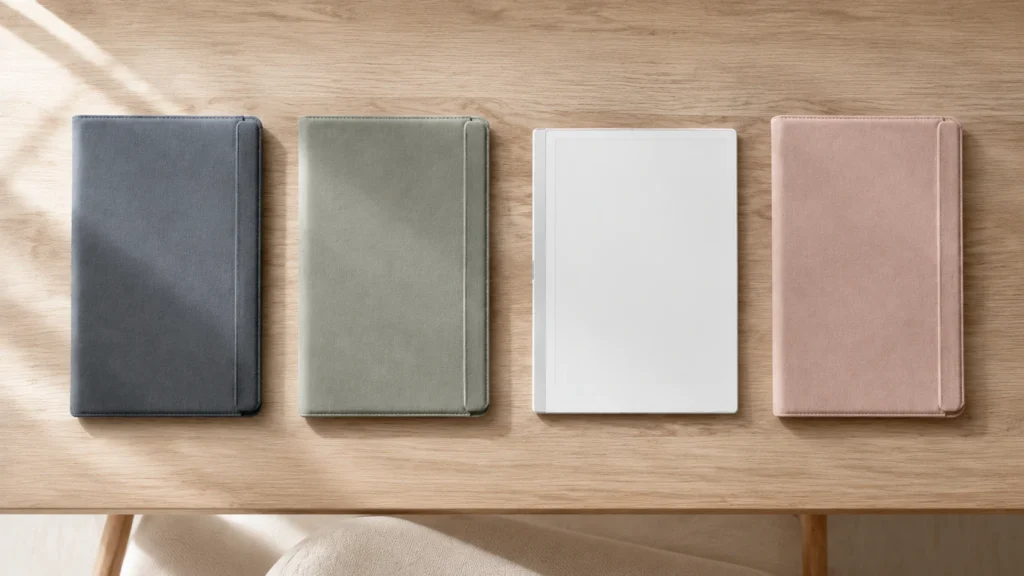
Where color comes into the picture is the Sleeve Folio, which is available in three options exclusive to the premium $449 bundle: Ocean Blue, Mist Green, and Desert Pink, with Ocean Blue being my personal favorite. All three are soft, muted tones rather than loud statement colors, which suits the overall personality of the device well.
The Ocean Blue is probably the most popular choice from what early buyers have been sharing, though the Mist Green has a quiet elegance that photographs particularly well.
What Is In the Box
Okay, pricing. I know this is the section most people scroll to first, and honestly, fair enough, nobody wants to fall in love with a device and then get surprised at checkout. The Paper Pure keeps things relatively simple with two bundle options, though calling the difference between them just a matter of accessories undersells it a little.
The pen you end up with genuinely affects how the writing experience feels day to day, which is something I did not fully appreciate until I had spent real time with both. So let me walk you through what each bundle actually includes before you make that call.
Full Technical Specifications
This is where the Paper Pure separates itself cleanly from its predecessor. On the surface the two devices look almost identical. Same 10.3 inch size, same aspect ratio, same black and white philosophy. But the internals tell a different story.
Let’s be honest here. You can throw specs at people all day. But with a writing tablet, nothing matters more than how it feels the moment pen touches screen.
And this is where the Paper Pure earns its name. The surface has a slight texture to it, not rough, just enough friction that the Marker does not glide around like glass. There is a resistance that tricks the hand into thinking it is writing on paper. After a few minutes, you stop noticing you are on a digital surface at all.
The 21ms pen latency is genuinely impressive for this price point. One thing I would like to bring to the table is that in the old reMarkable 2, there was a small but noticeable gap between where your pen was and where the ink appeared (still good to use though).
While on the Paper Pure, that gap is essentially gone. The ink follows the pen tip in a way that feels immediate rather than caught up.
But I would also say the new active stylus does require charging, which is a real change from the reMarkable 2’s passive pen that never needed power. The Marker charges wirelessly by snapping magnetically to the side of the tablet, so in practice it charges whenever it is not being used. But if you are upgrading from the reMarkable 2, your old pen will not work here. That is a genuine trade-off worth knowing before you buy.
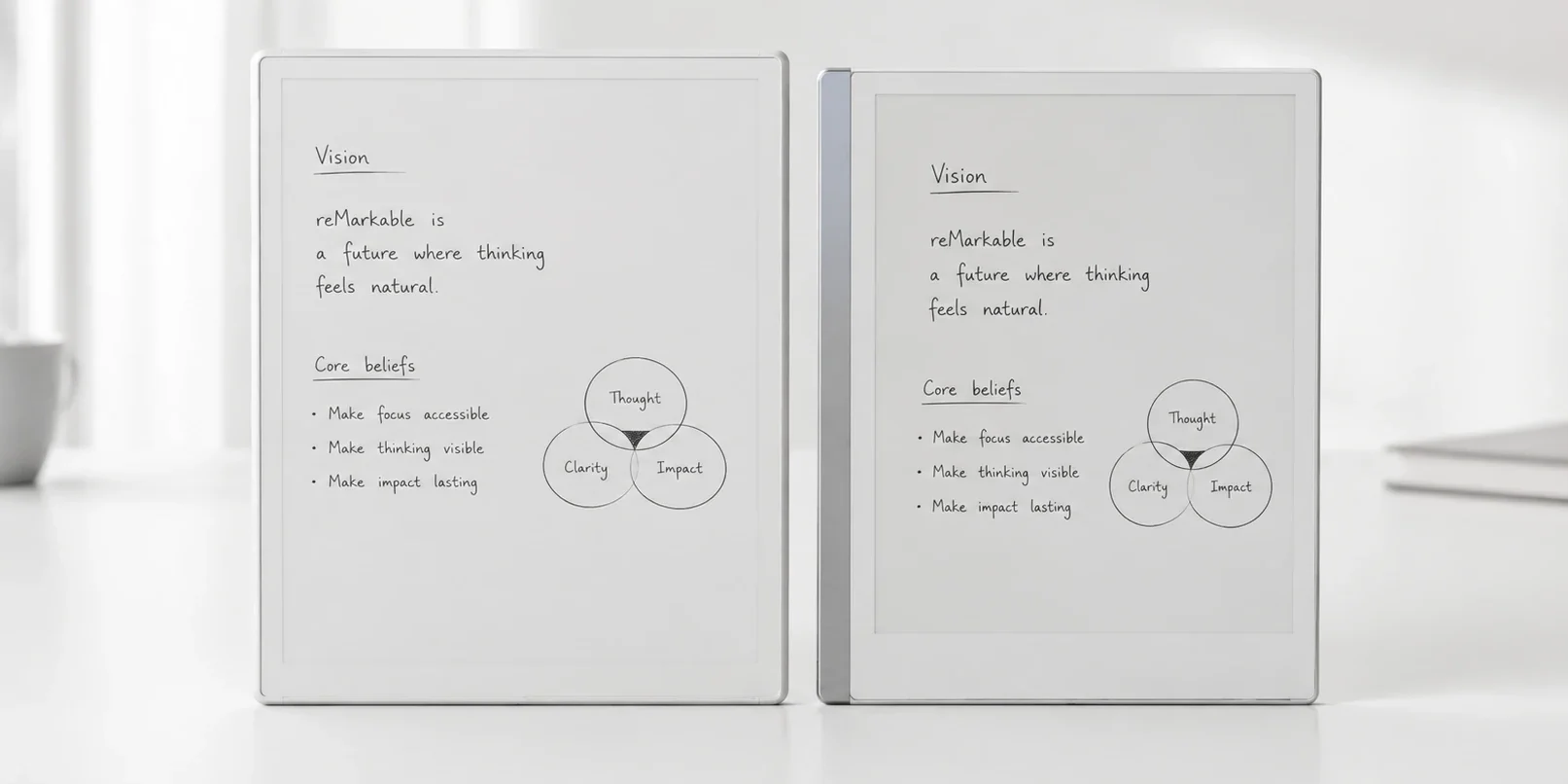
reMarkable Paper Pure vs reMarkable 2
The reason this comparison needs to be made is that a lot of people like you who might be planning to upgrade from the reMarkable 2 (and are probably here for that reason) are wondering whether the jump is actually worth it or not.
The clearest takeaway here is that the Paper Pure is faster, lighter, and more sustainable at the same or lower price. The one thing reMarkable 2 users genuinely had over the new device is that the old passive pen never needed charging.
If that sounds like a dealbreaker, it is worth sitting with before buying.
Pros and Cons
Best Suited For
- Students who carry heavy PDF textbooks and need a reliable surface for lecture notes will get the most practical value here, especially given the 32GB of storage and a battery that lasts weeks without intervention.
- Writers and journalists who prefer thinking by hand before sitting down at a keyboard will find the distraction-free software genuinely useful day after day, since there is simply no way to procrastinate inside the device itself.
- Professionals who annotate documents, review long-form reports, or take meeting notes without wanting to open a laptop will appreciate both the export integrations and the calm that comes from a screen that cannot interrupt you with anything.
- Casual readers, however, should probably look elsewhere. The Paper Pure handles PDFs and ePUBs reasonably well, but it has no ebook store integration, no Kindle library access, and no front light for reading in dim rooms. For that use case, the Kindle Scribe is the more natural fit; atleast that is what I feel.
Pricing and Where to Buy
FAQs
Is the reMarkable Paper Pure worth buying if you already own a reMarkable 2?
If your reMarkable 2 feels slow, storage is getting full, or the battery is degrading, yes, the upgrade is worth it. If it still runs fine and you liked the passive pen that never needed charging, there is no urgent reason to switch.
Does the reMarkable Paper Pure work without a subscription?
Yes. Without paying anything extra you can write, read PDFs, organize notebooks, and export files manually. The Connect subscription at $3.99 per month mainly adds cloud sync, unlimited storage, templates, and deeper integrations with Google Drive and Microsoft Word.
Can the reMarkable Paper Pure replace a regular tablet for everyday use?
No, and it was never meant to. There is no app store, no browser, and no entertainment features. It is best used as a second device for focused writing and reading, not as a replacement for your main tablet or phone.
Is the reMarkable Paper Pure good for reading books?
It supports PDFs and ePUBs well, but there is no Kindle or Kobo store built in. You load files manually. For document and textbook reading it works great. For casual book buying and reading, the Kindle Scribe is the more natural choice.
How does the reMarkable Paper Pure handle night-time use without a front light?
Not well in low light. The screen reflects ambient light like paper does, so it needs a lit room to be visible comfortably. A desk lamp solves it practically, but if you regularly read or write in the dark, this is a real limitation worth considering before buying.