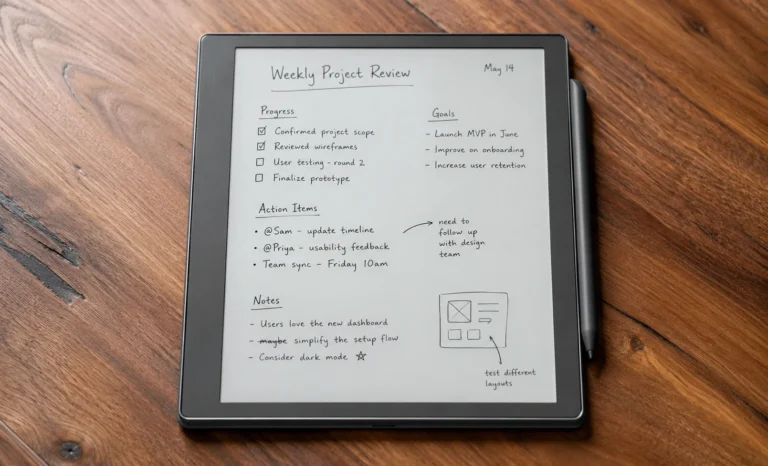
The reMarkable 2, the device that basically started the modern conversation around paper like tablets was officially discontinued on May 6, 2026. Six years on the market and one of the most talked about e ink tablets in the category, and as of this year it’s no longer something you can buy new.
If you came here already knowing that and just wanted the shortlist, stick around anyway. The reasons many people are searching for reMarkable 2 alternatives everyday were never only about discontinuation of the device. It’s actually the price, the closed operating system, the lack of color, and that recurring Connect subscription pushed plenty of buyers toward other options long before reMarkable pulled the plug on its own flagship.
This article walks through exactly what you are here for. A shorter version of Kindle Scribe vs reMarkable 2 was posted earlier here subjecting Kindle Scribe as one of the alternatives of reMarkable 2.
A lot of review sites out there are written by people who never actually touched the device. They pull specs off a press release and then rewrite them in different words, calling it a review. You can usually tell after reading a few sentences that the writing and the analysis feel thin, the opinions feel borrowed, and nothing sounds like it came from someone who lived with the thing for more than an afternoon.
This isn’t that. Every device mentioned here was used by me personally, for real work, over real weeks, not just unboxed for a sponsored photoshoot or review. So what you’re about to read is real advice and personal views to what can actually replaces the reMarkable 2 and can genuinely do something better than it.
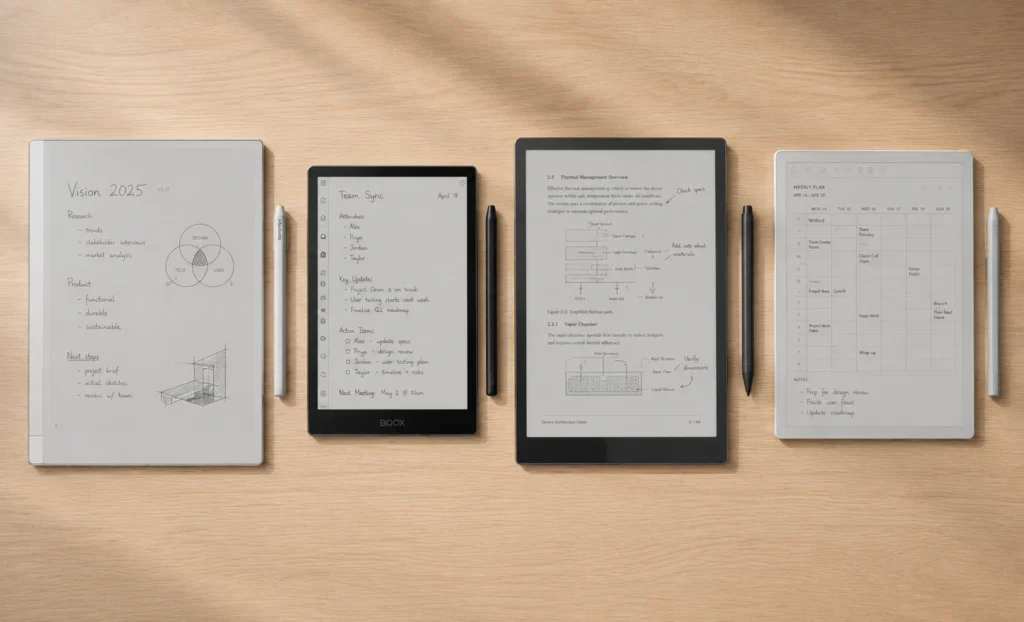
Why did they discontinue reMarkable 2?
For anyone who missed it, reMarkable retired the reMarkable 2 to make room for its new flagship, the reMarkable Paper Pure. It’s a third generation black and white paper tablet, priced from $399, shipping in June 2026.
reMarkable’s own numbers claim roughly 20 percent higher screen contrast than the reMarkable 2, about 30 percent longer battery life, four times the internal storage at 32GB, and noticeably faster page navigation.
That is a meaningful upgrade on paper I would say. My honest take after having watched this category for a while now, is that the Paper Pure is really reMarkable admitting the rM2’s 8GB of storage and aging processor had become a genuine liability against 2026 competition, not just a nice refresh for its own sake.
Before jumping into the list, it is worth being honest about why people would leave reMarkable in the first place.
A list of common reasons why people go looking for reMarkable 2 alternatives:
- Wanting color for highlighting, diagrams, or sketching, which the rM2 never offered
- Users get frustration with a closed operating system that blocks Notion, GoodNotes, Obsidian, or any Android app
- Them not wanting to pay the Connect subscription (now $2.99/month) just to unlock handwriting to text and full cloud sync
- Simply wanting a bigger app ecosystem or a library lending feature the rM2 never had
If none of that bothers you and the writing feel is genuinely the only thing you care about, a refurbished reMarkable 2 or the new Paper Pure will still serve you well. If any of those bullet points sound familiar to you, go ahead and keep reading.
The Full Lineup of reMarkable 2 Alternatives
| Device | Price (approx.) | Best For |
|---|---|---|
| reMarkable Paper Pure | $399 | Direct rM2 successor, mono purists |
| reMarkable 2 (refurbished) | $439–$499 | Loyalists who want the proven original |
| Boox Note Air 5C | $499–$529 | Android apps plus color e ink |
| Boox Go Color 7 | ~$269 | Budget color e ink with stylus |
| Boox Tab Mini C | ~$449 | Compact size, color, and Android in one |
| Supernote A5 X2 (Manta) | $429–$449 | Long-term durability, most paper-like feel |
| Kindle Scribe Colorsoft | $429–$679 | Kindle library loyalists |
| Kobo Elipsa 2E | ~$400 | Library lending via Overdrive and Libby |
Now keep scrolling for the deeper look, because a price table alone never tells you which device will actually earn a spot in your bag over reMarkable 2.
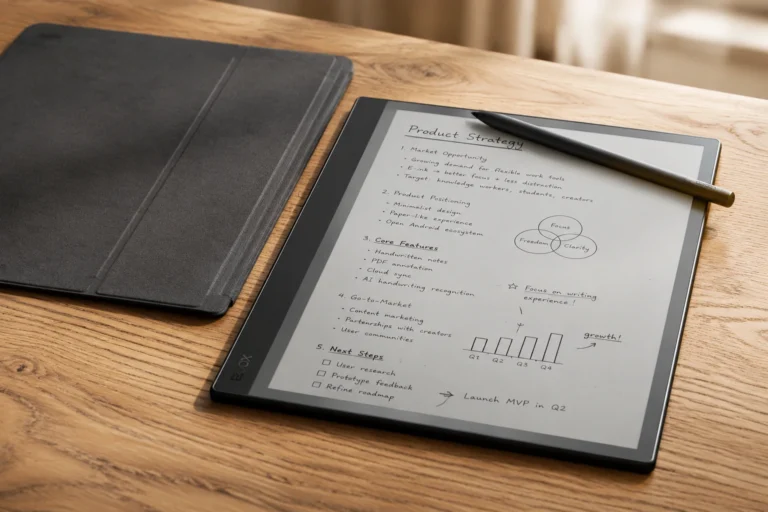
reMarkable Paper Pure
This is technically not an “alternative” so much as reMarkable replacing itself, but it belongs at the top of this list because most people looking for “reMarkable 2 alternatives” right now are really asking “what do I buy instead, now that the one I wanted is gone.”
The Paper Pure keeps the same writing first philosophy, the same closed OS and the same reliance on the Connect subscription for full functionality.
But it fixes the two biggest hardware complaints of the users:
- Storage that felt stuck in 2020.
- A battery that wasn’t class leading anymore while still being decent.
(Visit reMarkable.com to buy reMarkable Paper Pure)
In my view, this is the safest pick if reMarkable’s minimalism and writing feel are the actual reasons you wanted an rM2 in the first place and you’re simply unwilling to buy secondhand hardware.
What’s genuinely better in reMarkable Paper Pure : 32GB of storage (four times the old rM2), a claimed 20 percent contrast bump, faster scrolling and longer battery life.
What still hasn’t changed: There is still no app store, it still needs Connect for handwriting conversion and full cloud sync and is still monochrome only.
Refurbished reMarkable 2
Here, a genuine curveball for you is that buying a refurbished reMarkable 2 is now, in some cases, more expensive than buying the brand new Paper Pure. That sounds backwards until you remember these are inspected units with a full warranty rather than fresh off the line hardware. And some buyers simply prefer the proven six year track record of the original over a newly launched device with an unproven quality history.
Where to buy it (ranked by safety): reMarkable’s own refurbished store is still providing the Tablet along with best inspection and full 1 year warranty, Amazon Renewed (90 day warranty) and then lastly third party marketplaces like eBay, where pricing is lowest but warranty coverage varies wildly.
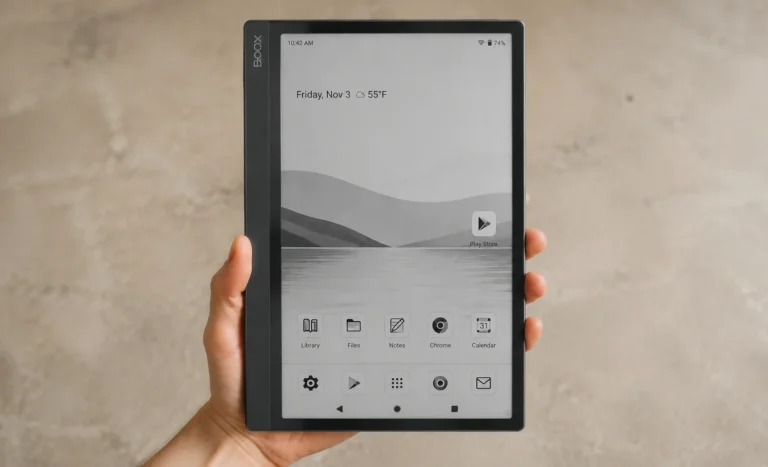
Boox Note Air 5C
If the reMarkable ecosystem’s biggest frustration for you was the lack of apps, this is probably the loudest answer on the list. Full Android 15, Google Play access, a fingerprint sensor tucked into the power button, and a color e ink panel that adds real utility for highlighting and diagram work.
It genuinely runs Notion, GoodNotes, Kindle, and Libby side by side which is something no reMarkable device has ever offered and to be honest given the company’s whole pitch is distraction free writing, no device likely ever will.
Personally, the trade off that nags at me every time I pick this up is battery life. Where the reMarkable 2 and Paper Pure measure endurance in weeks, the Note Air 5C measures it in days. It is simply because Android background processes are always sipping power even in an e ink shell.
- Pros: It offers genuine app flexibility, fingerprint security, expandable storage up to 2TB via microSD, dual speakers plus microphone.
- Cons: Possesses shorter battery life, occasional ghosting during heavier app use, steeper learning curve for anyone used to reMarkable’s simplicity.
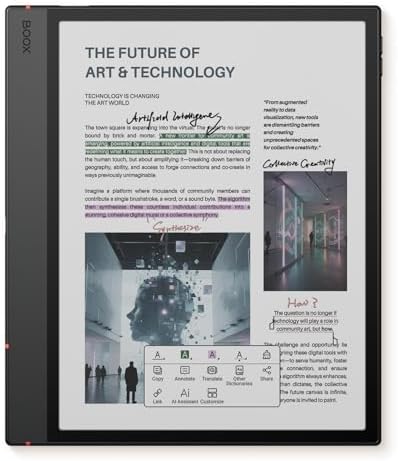
- Screen: 10.3″ Kaleido 3 (4,096 colors) glass screen with flat cover-lens. Resolution: B/W: 2480 x 1860 (300 ppi). Color:…
- OS: Android 15 Document Formats: PDF, CAJ, DJVU, CBR, CBZ, EPUB, EPUB3, AZW3, MOBI, TXT, DOC, DOCX, FB2, CHM, RTF, HTML,…
- Button: Power Button with Fingerprint Recognition USB-C Port (Supports OTG or use as an audio jack) microSD Card Slot Bu…
Boox Go Color 7
This one deserves more attention than it usually gets in these roundups. It stands as at roughly a third the price of a reMarkable Paper Pure. Boox Go Color 7 still gives you color e ink and stylus support which is genuinely impressive positioning for the price bracket. It won’t match the writing latency of anything wearing the reMarkable name and the smaller 7-inch screen means it’s not built for dense document annotation. But as a pocketable notebook with color highlighting, it earns its price tag honestly.
I would frame this less as “the cheap option” and more as “the right option” if your budget was the actual barrier that kept you from buying an rM2 in the first place.

Boox Tab Mini C
Sitting between the Go Color 7 and the full size Note Air 5C, the Tab Mini C is Boox’s answer for anyone who wants both compact size and full Android in the same box. It possesses same Kaleido 3 color panel family as the Go line, but is housed in a more refined chassis with a deeper feature set.
If the reMarkable Paper Pro Move’s portability appealed to you but its closed OS didn’t, this is the closest thing to that idea running on open Android.
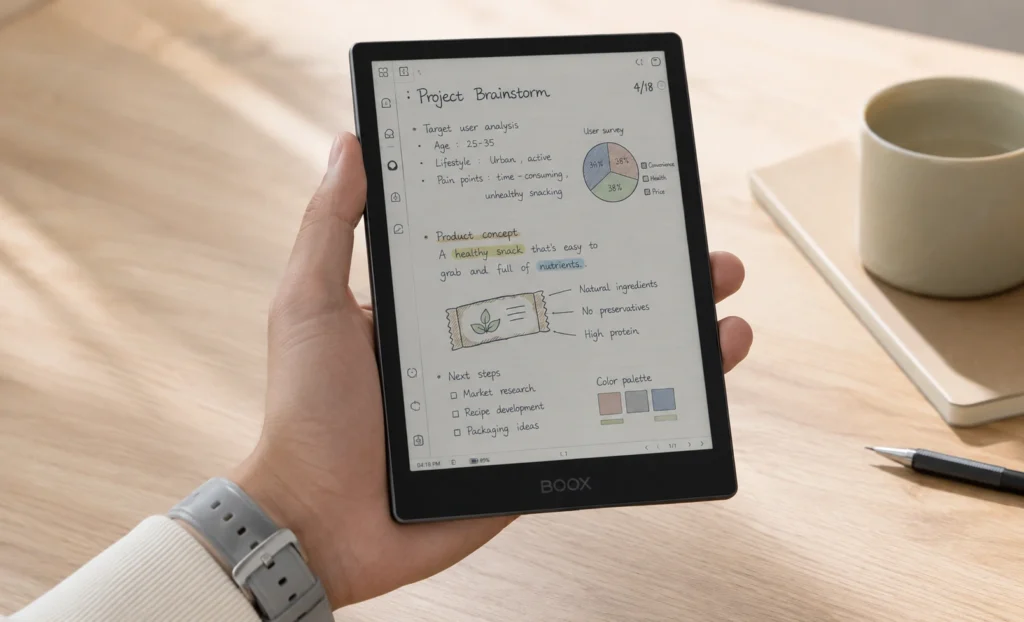

- 7.8’’ Compact Design: Relaxing Kaleido 3, ePaper Colors, Super Smooth Experience
- Small Body Packs Power and Fun: The 7.8’’ color ePaper tablet just takes reading and sketching to a whole new level with…
- Comfortable Grip: The Tab Mini C has a metal back case with a low profile color and a smooth, curved shape. It makes it …
Supernote A5 X2 (Manta)
Okay if someone asked me point blank which reMarkable 2 alternative feels closest to the original spirit of the device without actually being a reMarkable, I’d say this one without hesitation.
Supernote skipped color entirely this generation and instead built something the reMarkable 2 never offered. A modular battery and motherboard that can genuinely be replaced years down the line instead of forcing a full device replacement.
The writing surface has a slight give to it that feels closer to an actual pen pressing into paper than anything else on this list, reMarkable included.
The nicest compliment I can give the Manta is that after using it for a week, going back to a glass-screen tablet felt genuinely uncomfortable. That’s not something I say about most gadgets.
(Visit supernote.com to buy Supernote A5 X2 Manta)
Kindle Scribe Colorsoft: For the Amazon-Loyal Reader
A new “Fig” red toned color option launched in late January 2026 alongside the standard graphite if the all gray aesthetic of most e ink tablets has been wearing thin for you.. The Colorsoft trades the reMarkable’s textured, paper grain writing feel for something closer to a smooth ballpoint gliding on glossy stock and honestly, if you’ve never felt the reMarkable 2‘s surface, you probably won’t miss what you never had.
Another thing is that the real draw here isn’t the writing experience so much as walking straight into your existing Kindle library without a single file conversion. That convenience is worth real money to some buyers. Just go in knowing you’re trading reMarkable’s ecosystem lock in for Amazon’s, which is the same critique pointed at a different fortress.

- Our most advanced Kindle Scribe – Features an 11” Colorsoft display with front light, built-in notebook, AI tools, and s…
- Bring ideas to life in color – The custom-built Colorsoft display delivers high-contrast, paper-like color that’s easy o…
- Get a pen-on-paper feel: The textured surface and responsive display create a smooth, paper-like writing experience. Plu…
Kobo Elipsa 2E
Kobo Elipsa provides a feature the reMarkable 2 has never offered in six years on the market. That is an adjustable warm front light for comfortable day and night use.
The Kobo Elipsa 2E also carries native OverDrive and Libby integration so anyone with a library card can borrow ebooks directly without app juggling which is something none of the reMarkable devices, past or present, are built to do.

- 𝗥𝗘𝗔𝗗 𝗨𝗣. 𝗪𝗥𝗜𝗧𝗘 𝗗𝗢𝗪𝗡. 𝗧𝗛𝗜𝗡𝗞 𝗕𝗜𝗚. – Made for big thinkers and bundled with Kobo Stylus 2, the new upgraded Kobo Elipsa 2E …
- 𝗚𝗟𝗔𝗥𝗘-𝗙𝗥𝗘𝗘 𝗘 𝗜𝗡𝗞 𝗧𝗘𝗖𝗛𝗡𝗢𝗟𝗢𝗚𝗬 – Kobo Elipsa 2E has a 10.3” high-resolution E Ink Carta 1200 touchscreen with ComfortLight …
- 𝗥𝗘𝗔𝗗 & 𝗠𝗔𝗥𝗞 𝗨𝗣 𝗘𝗕𝗢𝗢𝗞𝗦 & 𝗗𝗢𝗖𝗨𝗠𝗘𝗡𝗧𝗦 – Write directly on your eBooks and PDFs with Kobo Elipsa 2E’s improved note-taking ex…
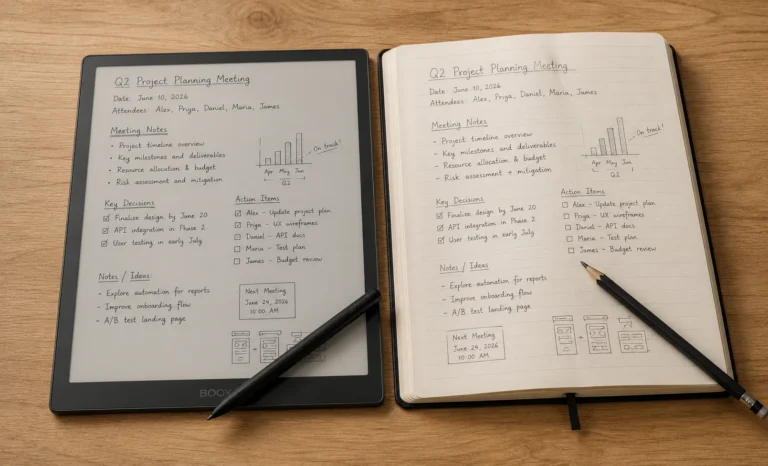
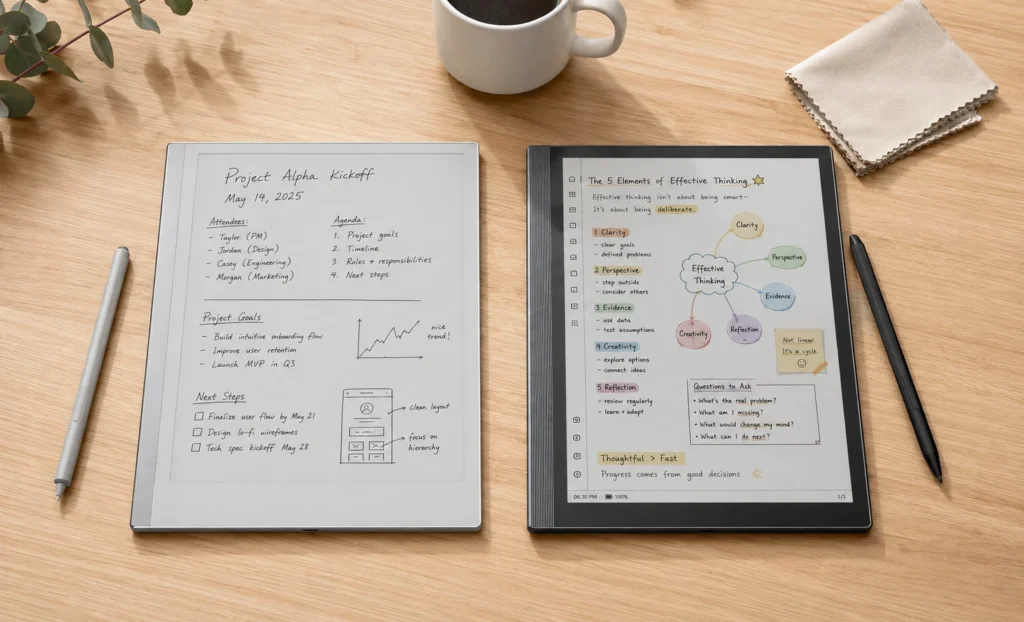
Two Devices, Side by Side
10.3″ mono · 32GB · $399
✅ Best-in-class writing latency
✅ Distraction-free, closed ecosystem
❌ No color, no third-party apps
❌ Full features need Connect subscription
10.3″ Kaleido 3 color · 64GB · $529
✅ Full Android app access
✅ Color e ink, expandable storage
❌ Battery measured in days, not weeks
❌ Occasional ghosting under heavy use
Pros and Cons of Leaving reMarkable Behind
Benefits of switching to an alternative:
- Access to color e ink for highlighting, diagrams, and sketching
- Open app ecosystems on Android based devices, no more closed-garden frustration
- Library lending support on Kobo, something reMarkable has never built
- Often no mandatory subscription for full functionality
What you give up by leaving reMarkable’s ecosystem:
- The specific pen on paper writing latency reMarkable spent years perfecting
- A distraction free interface that Android-based devices can’t fully replicate
- reMarkable’s typed text editing across devices, a feature still fairly unique to the brand
Which One Fits You!
Working with a tight budget: Boox Go Color 7
Need real app access: Boox Note Air 5C
Want compact size plus color and Android: Boox Tab Mini C
Care about repairability and pure writing feel: Supernote A5 X2
Already deep in the Kindle library: Kindle Scribe Colorsoft
Borrow from the library constantly: Kobo Elipsa 2E
In my experience testing most of these back to back, the honest takeaway is that no single device replaces everything the reMarkable 2 did well. The Paper Pure gets closest to the writing feel.
The Boox lineup wins on flexibility. Supernote wins on build philosophy and longevity. Pick based on which specific frustration sent you looking for an alternative, not on which device has the longest spec sheet.
The discontinuation of the reMarkable 2 genuinely marks the end of an era for this category. It was, for a long time, the default answer to “what’s the best digital notebook,” and its retirement forces a question that used to have an easy answer.
My honest and transparent opinion after following this space closely is that 2026 is actually a better year to be shopping for a paper tablet than any year the reMarkable 2 was on sale, simply because so many credible reMarkable 2 alternatives now exist across every price bracket and use case.
Buy based on the frustration that pushed you here and not the marketing on the box, and you’ll end up with a device you actually keep using past the first month.
FAQs
Is the reMarkable 2 still worth buying in 2026?
Only as a refurbished unit at this point, since it’s no longer sold new. It’s still a genuinely capable writing tablet, but the Paper Pure or several competitors now offer more for similar or lower prices.
What is the best overall reMarkable 2 alternative?
There isn’t a single universal answer. For writing feel specifically, the reMarkable Paper Pure or Supernote A5 X2 lead. For app flexibility, the Boox Note Air 5C is the strongest pick.
Why was the reMarkable 2 discontinued?
reMarkable retired it on May 6, 2026 to launch its third-generation flagship, the Paper Pure, which offers more storage, better contrast, and longer battery life at a similar starting price.
Do reMarkable 2 alternatives require a subscription?
Some do for full functionality, reMarkable’s Connect service being the clearest example at $2.99 a month, while Boox, Supernote, and Kobo generally offer complete features without a recurring fee.
Are color e ink alternatives worth the higher price over monochrome options?
If you regularly highlight, sketch, or work with diagrams, yes. If your use is pure text-based note-taking or reading, monochrome panels like the Paper Pure or Supernote A5 X2 still offer sharper contrast and lower prices.
Explore More Tablet Reviews
E-Ink Tablets Comparison: 6 Digital Notebooks Tested Head to Head
3 Best E Ink Tablets In 2026 Detailed Review
The Future of E-Ink Tablets: Revolutionizing Your Reading Experience
The reMarkable Paper Pure (reMarkable 3) Surprised Me in Ways I Was Not Expecting at All
Viwoods AI Paper Full Review 2026