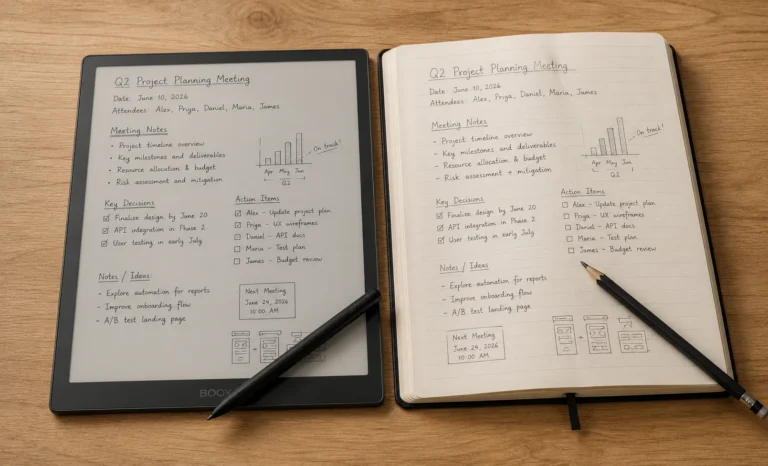
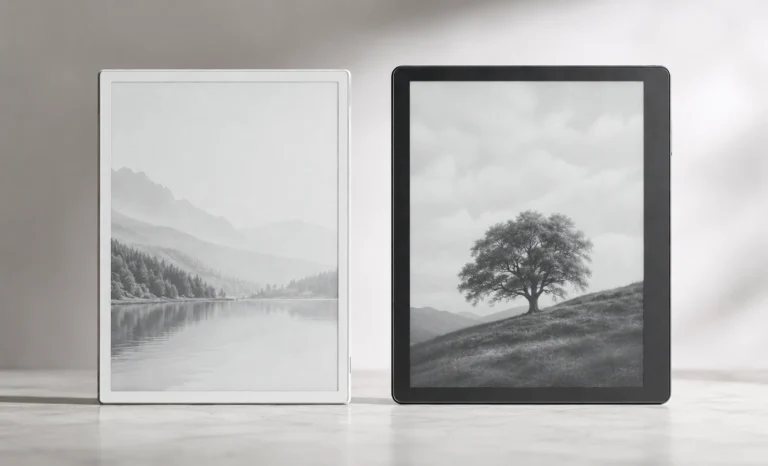
A friend showed off a reMarkable to me at a coffee shop a while back, tapping away with a stylus that made an actual scratching sound against the screen. That small moment turned into six months of testing e ink tablets side by side, across meetings, PDFs, journaling sessions, and late-night reading, to figure out which ones actually earn a permanent spot on the desk of mine and which ones end up forgotten in a drawer.
Quick primer before diving in, since the term gets thrown around loosely. An e-ink tablet (also called a digital paper tablet or e-paper writer) uses electronic ink, the same reflective, non-backlit display technology found in Kindles, instead of an LCD or OLED panel. No blue light glare, no backlight draining the battery every hour, and a texture built to mimic paper when a stylus glides across it.
The category has split into three real lanes in 2026, and understanding this before buying saves more money than any spec comparison ever will:
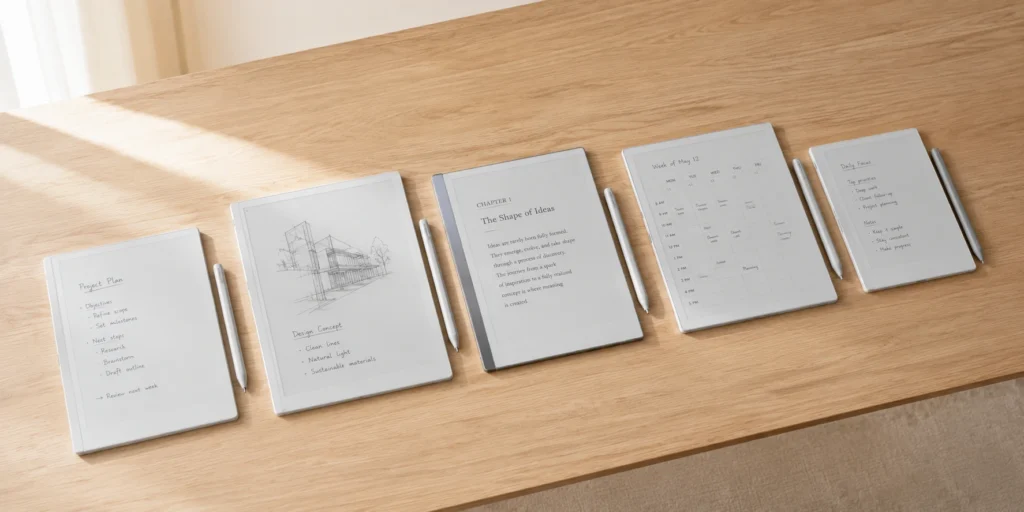
Writing-first devices (reMarkable) built around a distraction-free note-taking experience
Reading-first devices (Kindle Scribe, Kobo Elipsa) that grew a stylus
Do-everything Android tablets (Boox, Bigme) with full app access and a steeper learning curve
I would say pick the lane first. Buying an Android e ink tablet before knowing what it’s meant to replace is a common mistake, and one that usually ends with the device sitting untouched because it gets used like an iPad rather than a notebook.
The Full E-Ink Tablets Comparison
E Ink Tablets Comparison Table 2026
On a phone, just swipe sideways across the table below to see the rest of the columns. The spec names on the left will stay put so you always know which row you’re looking at.
Spec
reMarkable Paper Pro
reMarkable 2
reMarkable Paper Pro Move
Boox Note Air 5C
Supernote A5 X2 (Manta)
Kindle Scribe Colorsoft
Kobo Elipsa 2E
Company
reMarkable AS (Norway)
reMarkable AS
reMarkable AS
Onyx International
Ratta / Supernote
Amazon
Rakuten Kobo
Release Year
2025
2020 (still sold)
2025
2025
2024
2025/2026 rollout
2022
Generation / Model
Paper Pro (1st gen)
2nd gen
Paper Pro Move
Note Air 5th gen
A5 X2 “Manta”
Scribe, Colorsoft variant
Elipsa 2nd gen
Display Size
11.8″
10.3″
7.3″
10.3″
10.7″
11″
10.3″
Screen Type
Canvas Color (E Ink Gallery 3)
Monochrome Carta
Canvas Color
Kaleido 3 color
Mobius Carta, FeelWrite 2 soft film, monochrome
Colorsoft (oxide backplane)
Carta 1200, monochrome
Resolution
2160 x 1620, 229 PPI
1872 x 1404, 226 PPI
1696 x 954, 264 PPI
2480 x 1860 mono (300 PPI) / 1240 x 930 color (150 PPI)
1920 x 2560, 300 PPI
300 PPI mono / 150 PPI color
227 PPI
Operating System
reMarkable OS (closed)
reMarkable OS (closed)
reMarkable OS (closed)
Android 15 with Google Play
Custom Android-based OS (no Play Store)
Kindle OS (closed)
Kobo OS (closed)
App / Social App Support
None, native apps only
None
None
Full, including social and messaging apps
Sideloaded apps only, no official store
None
None
Eye Comfort (subjective)
Excellent, adjustable warm light
Excellent, no backlight at all
Excellent
Very good, front light needed for fast-refresh mode
Excellent, no light but zero glare
Very good, oxide panel reduces flicker
Good
RAM
2GB
Roughly 1GB (older hardware)
2GB
6GB
4GB
Roughly 4GB (Colorsoft variant)
Roughly 2GB
Storage
64GB
8GB
64GB
64GB, expandable to 2TB via microSD
32GB, expandable via microSD
16GB / 32GB / 64GB tiers
32GB
Battery
5,030mAh (roughly 1–2 weeks, light use)
Multi-week standby, no backlight to drain it
2,334mAh (shorter life, color panel)
3,700mAh (a few days, regular use)
3,600mAh (about a week, mixed use)
Multi-week claim, closer to days under heavy note-taking
Multi-week for reading
Speaker
None
None
None
Dual speakers plus microphone
None
None built-in
None
Fingerprint Sensor
No
No
No
Yes, in the power button
No
No
No
Camera
No
No
No
No
No
No
No
Waterproof Rating
No
No
No
No
No
No
No
Thickness
5.9mm
4.7mm
Around 5mm
5.8mm
6.0mm (3.6mm thinnest edge)
5.4mm
Around 7.6mm
Weight
Around 1.2 lb (~544g)
403g
Roughly 205g
440g
467g with folio
400g
Around 390g
Colors Available
Slate/Gray
Gray
Gray, Black
Black/Grey
Gray
Graphite, Fig (red)
Black
Firmware / Updates
Regular OTA updates
Regular OTA updates
Regular OTA updates
Support promised ~7 years
Frequent community-driven updates
Regular OTA updates
Periodic updates
Buying Platforms
reMarkable.com, Amazon, Best Buy
reMarkable.com, Amazon
reMarkable.com, Amazon
shop.boox.com, Amazon
supernote.com, Amazon
Amazon exclusive
Kobo.com, Amazon, Indigo, Rakuten
Approx. Price (with pen)
$579–$629
$379
$449
$499–$529
$429–$449
$429–$679, storage/color dependent
~$400
Personal Rating (/5)
4.6
4.5
4.2
4.3
4.7
3.8
4.0
Typical Site Rating
4.5–4.8 stars
4.6 stars
4.3 stars
4.4 stars
4.7 stars
3.8–4.3 stars, mixed
4.2 stars
Prices and ratings shift constantly with promotions and firmware updates. Treat these as a reliable snapshot rather than a permanent price list, and always confirm current numbers on the manufacturer’s page before checkout.
That table alone probably answers half the questions worth asking. The rest comes down to how each device actually feels to use, which no spec sheet can fully capture.
reMarkable Paper Pro
💰 Price: Starts around $579 to $629 with a Marker | 📐 Screen: 11.8-inch Canvas Color display
The price tag felt indulgent for weeks before testing began, given that this is essentially a very expensive notebook. Three consecutive weeks of client meetings later, the reasoning behind the hype became obvious.
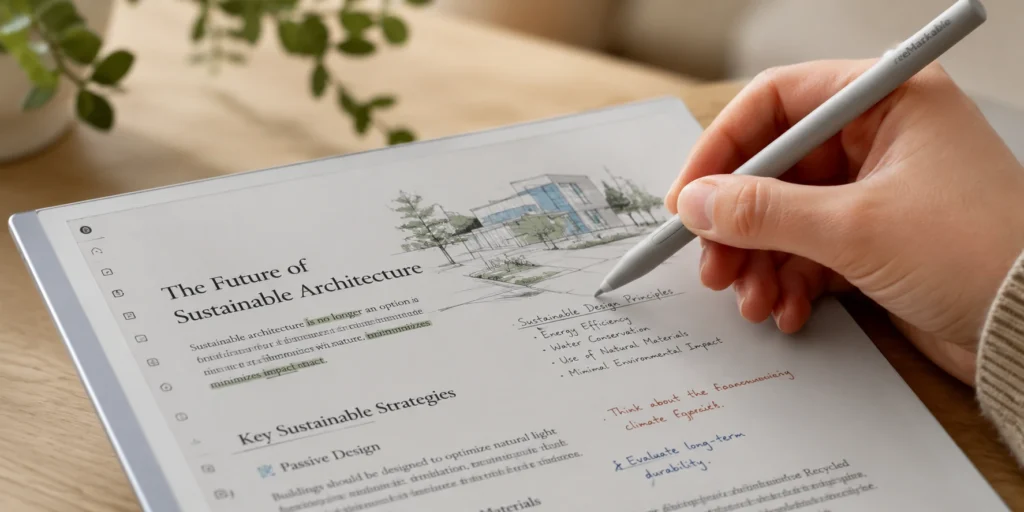
The Canvas Color display uses actual colored ink particles rather than a color filter layer, so highlights and diagrams have a slightly textured, printed-page look rather than the glassy sheen found on Boox devices. It refreshes slower than Boox’s Kaleido panel, especially when coloring large areas, but for note-taking, where marks tend to be small, the lag barely registers.
Strengths worth praising:
Writing latency is the best in this entire category, genuinely close to pen on paper
The optional keyboard folio turns this into a passable distraction-free writing machine
Handwriting-to-text conversion has quietly gotten very good this year
Real drawbacks:
No native app store, PDFs and EPUBs only
The optional Connect subscription ($3/month or $30/year) feels steep for full cloud and conversion features
Battery life takes a real hit once the backlight runs at full brightness
This is the tablet that gets reached for most often day to day, which was not expected going in. The hardware is older now, no color, no fancy backplane, but the writing feel is nearly identical to the Paper Pro at almost half the price. Anyone who doesn’t specifically need color should save the money here.
It works well for morning journaling. Thin enough to slide into a laptop sleeve, battery genuinely lasting weeks on standby, and there’s something almost meditative about a device that can’t do anything else. No notifications sneaking through, no browser tab beckoning.
Pros: Thinnest and lightest on this list, proven and stable software, excellent value. Cons: No color, no Android apps, requires a Connect subscription for the full feature set, screen feels small next to the newer 11.8-inch models.
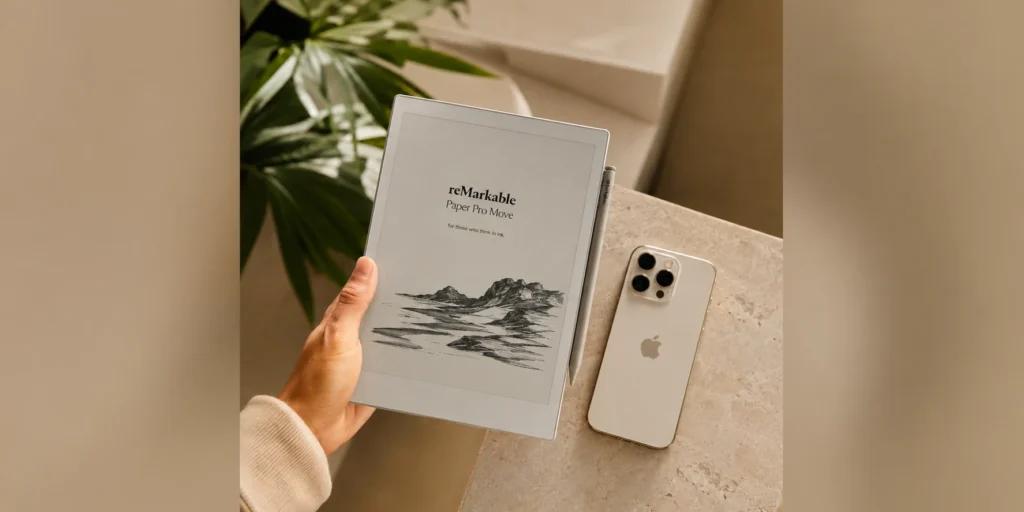
💰 Price: Around $449 with a standard Marker | 📐 Screen: 7.3-inch Canvas Color
Shrinking the Canvas Color panel down to 7.3 inches means this actually fits in a jacket pocket, something no other color e ink tablet on this list can claim. It seems built for people who work on location: journalists, field engineers, delivery coordinators, anyone who needs to jot something down standing up rather than at a desk.
The trade-off shows up the moment a full-page PDF gets loaded onto it. Everything feels cramped, and constant pinching and zooming becomes the norm. This is not a document-review device. It’s a notebook that happens to fit in a palm.
💰 Price: Around $499 to $529 | 📐 Screen: 10.3-inch Kaleido 3 color, Android 15
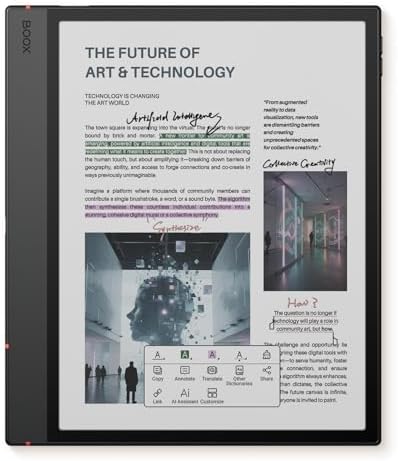
If reMarkable is the zen minimalist, Boox is the maximalist trying to do absolutely everything on one device. Full Android 15, Google Play Store access, split-screen multitasking, and genuine flexibility to run Kindle, Kobo, Libby, Google Docs, and Notion side by side. For readers juggling multiple library apps or several ebook ecosystems, this is genuinely the most versatile e ink tablet available right now.
That said, running full Android on an e-paper screen is a compromise dressed up as a feature. Scrolling a browser feels sluggish even with fast-refresh mode enabled. Ghosting (that faint shadow of the previous screen) creeps in during heavier use, and manual refreshes become more frequent than expected. It’s impressive that it works at all, less impressive that it isn’t as smooth as the marketing suggests.
Pros: Genuinely versatile, best-in-class app ecosystem, strong metal build, page-turn buttons and a fingerprint sensor built into the power button. Cons: Shorter battery life than closed-ecosystem devices (days, not weeks), steeper learning curve, occasional ghosting during app-heavy use.
💰 Price: Around $429 to $449 | 📐 Screen: 10.7-inch monochrome, 300 PPI, FeelWrite 2 film
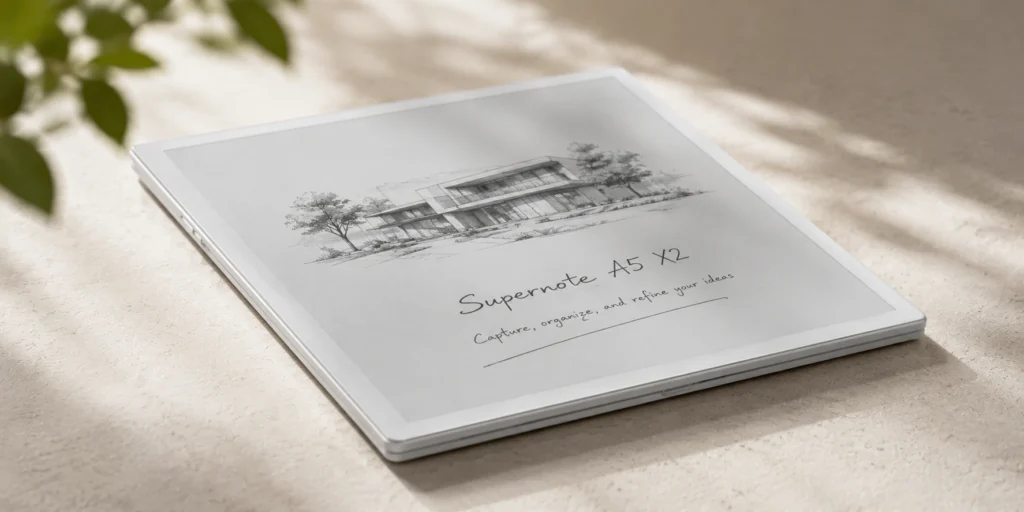
This one deserves far more attention than it usually gets. Supernote skipped the color trend entirely this cycle and focused on something almost nobody else talks about: repairability. The battery and motherboard are modular, meaning they can be replaced years down the line instead of throwing the whole device away. In an industry where “durable” usually just means a sturdier hinge, this feels refreshingly honest.
The FeelWrite 2 surface has a slight give to it, like the nib is actually pressing into paper rather than gliding across glass. It’s a genuinely different tactile sensation from both reMarkable and Boox, and after testing all three back to back, this was the one that produced an actual “oh, that’s what people mean by paper-like” reaction.
Nitpick worth flagging clearly: Actually there is no front light at all. Writing in bed after the lamp goes off simply isn’t happening. For anyone who reads or writes at night, this is a dealbreaker, not a minor quirk.
💰 Price: Around $429 for 16GB, up to $679 for the 64GB Fig color option | 📐 Screen: 11-inch Colorsoft (oxide backplane)
Amazon finally joined the color e ink party, and the result is a mixed bag that lines up with expectations for a company that treats hardware as a delivery mechanism for its bookstore. The oxide backplane makes page turns noticeably faster than Canvas Color, and for anyone already holding a Kindle library, the convenience is real: no file conversion, no side-loading gymnastics.
Writing feels like a smooth ballpoint pen on glossy paper. Not bad, but it lacks the grain and resistance that makes the Supernote and reMarkable feel more like actual paper. Notebook organization still feels bolted onto a reading app rather than designed from scratch, though a recent software update finally added AI-assisted folder sorting that helps a little.
The nub of the issue is that if you want to buy this, add in cart only if the Kindle library is the actual reason for shopping. As a standalone note-taking tablet, three other devices on this list beat it.
💰 Price: Around $400 | 📐 Screen: 10.3-inch monochrome
While nearly everything above it launched upward in price this year, the Elipsa 2E just stayed put. It’s not flashy, and it won’t win any spec-sheet arguments, but native OverDrive and Libby integration means library-card holders can borrow ebooks directly on the device, no app juggling required. For heavy library users who also want basic note-taking, this quietly does the job without asking for $600 or more.
📖 Heavy reading plus library borrowing: Kobo Elipsa 2E or Kindle Scribe Colorsoft ✍️ Daily note-taking and journaling on a budget: reMarkable 2 💼 Meeting notes and PDF markup at work: reMarkable Paper Pro 🎒 Students juggling apps, PDFs, and library apps: Boox Note Air 5C 🧳 Carrying notes literally everywhere: reMarkable Paper Pro Move ♻️ Buyers who hate replacing gadgets every two years: Supernote A5 X2
On studying specifically: a friend finishing a master’s thesis used the Boox for weeks and loved pulling PDFs from Google Drive, annotating in Xodo, and cross-referencing Kindle textbooks all on one screen. She also admitted the constant app-switching broke her focus more than a plain notebook would have. There’s a genuine trade-off between capability and calm here, and no spec sheet settles which one actually matters most for a given workflow.
E Ink Tablets: General Benefits
Battery life measured in weeks, not hours, for focused (non-Android) devices
Far less eye strain compared to LCD or OLED screens, even after hours of use
The tactile, paper-like writing texture genuinely reduces the urge to context-switch
No blue light means comfortable use right before bed
E Ink Tablets: Real Drawbacks Nobody Sugarcoats
No video, no color-rich browsing, no gaming; this isn’t a tablet replacement for entertainment
Refresh rates still cause visible ghosting on faster-moving content
Premium models cross into iPad-price territory, a tough pill for a single-purpose device
Ecosystem lock-in on closed devices (reMarkable, Kindle) can feel restrictive over time
⚠️ Heads up: E ink tablet pricing shifts constantly with bundle promotions, seasonal sales, and regional taxes. The numbers above reflect device-plus-pen pricing at the time of writing. Always confirm current pricing directly on the manufacturer’s site before checkout.
Nitpicks After Months of Daily Use
A few small things that don’t show up in any spec sheet but genuinely shaped how much each device got reached for:
The reMarkable’s magnetic Marker attachment is too easy to knock loose in a bag
Boox’s fast-refresh mode brightens the screen in a way that undercuts the whole eye-comfort pitch of e ink in the first place
Supernote’s lack of a front light is more annoying in practice than it sounds on paper (pun intended)
Kindle’s notebook-and-library split still feels like two apps stitched together, even after this year’s update
None of these are dealbreakers. They’re the kind of friction that only shows up after living with a device past the honeymoon week, which is exactly why spec-sheet comparisons alone never tell the full story.
My Top 2 Go-To Picks
There’s no single “best e ink tablet,” only the one that matches the lane a person actually lives in. Figure that out first, and the rest of the decision gets a lot easier.
Keeping just two of these six e ink tablets long-term, the picks would be the reMarkable 2 for daily journaling and the Boox Note Air 5C for anything requiring actual app access. That combination covers most of what people actually need from a digital paper device, and it’s cheaper than buying one $629 flagship and hoping it does everything.