A few months back, reading on a regular tablet started to feel tiring for myself. The glow, the notifications, the way ten minutes of reading somehow turned into scrolling something else entirely. That frustration is what pushed me toward E Ink tablets, and it is also why so many people are now searching for the best e ink tablets instead of just buying another regular tablet out of habit.
An E Ink display does not glow the way a phone or laptop screen does. It reflects light, almost like paper does.
The first time I held one for a long reading session, the difference was obvious within the hour, not just on paper as a marketing line.
This guide is not a spec sheet copied from a product page just like many people do in their blogs. It mixes what I noticed using these tablets day to day with the actual details that matter, current prices, what each model offers, and where to buy them in 2026.
Why I Started Using One
The shift happened slowly. I would open my regular tablet to read a chapter and somehow end up on three other apps within minutes. It was not really a discipline problem, the device itself was built to pull attention in every direction.
A cousin of mine let me try her digital notebook for a weekend, and that was enough to make me curious. No backlight, no buzzing, just a screen behaving like paper. By the time I gave it back, I had already started looking into buying one myself.
What follows is based on actually using three of the major options for weeks at a time, not a quick first impression after unboxing.
What Makes an E Ink Tablet Worth It
The screen is the obvious starting point. Reading for two hours straight on a normal tablet can leave anyone’s eyes tired, which happened with me too. But the same two hours on E Ink does not, and that difference is the entire reason this category exists.
Writing on one took some adjusting. My handwriting was messier the first week because my hand still expected glass.
Most current tablets use pen latency under 25 milliseconds, which is close enough to real ink that the lag mostly disappears once you stop thinking about it.
Now battery life changed how I planned my week. Since E Ink only draws power when the screen actually changes, most tablets in this category run for one to three weeks between charges, depending on how much you write versus just read.
Software is where these devices split into two camps. Some run full Android and support outside apps. Others are closed systems built only for reading and writing. Neither is automatically better, it depends on whether distractions or flexibility matter more to you.
Best E Ink Tablets I Have Used In Recent Months
BOOX Note Air Series
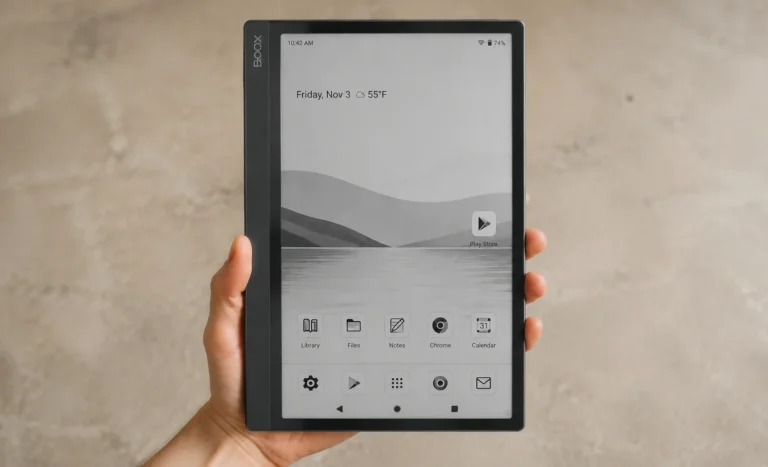
The BOOX Note Air was the first one I lived with for an extended stretch, mostly because it does not pretend to be just a reading device. It runs Android, so I could install the Kindle app and Google Drive alongside my notes, which made it feel less like a single-purpose gadget.
- The current flagship is the Note Air4 C, a 10.3 inch Kaleido 3 color screen running Android 13 with 6GB RAM, and it ships with the Pen2 Pro stylus included. You can buy it for around $499 through the official BOOX store and Amazon.
- A newer model, the Note Air5 C, has since launched with Android 15 and an updated panel, priced around $529.
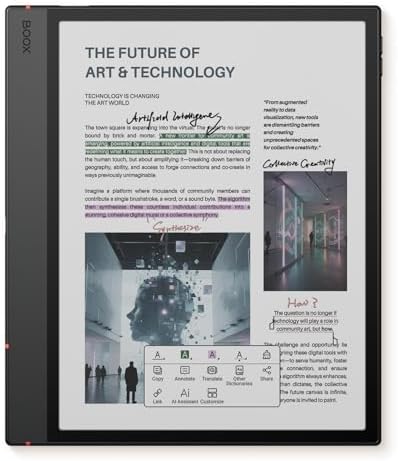
- Screen: 10.3″ Kaleido 3 (4,096 colors) glass screen with flat cover-lens. Resolution: B/W: 2480 x 1860 (300 ppi). Color:…
- OS: Android 15 Document Formats: PDF, CAJ, DJVU, CBR, CBZ, EPUB, EPUB3, AZW3, MOBI, TXT, DOC, DOCX, FB2, CHM, RTF, HTML,…
- Button: Power Button with Fingerprint Recognition USB-C Port (Supports OTG or use as an audio jack) microSD Card Slot Bu…

- Screen: 10.3″ Kaleido 3 (4,096 colors) glass screen with flat cover-lens. Resolution: B/W: 2480 x 1860 (300 ppi) Color: …
- CPU: Octa-core + BSR. RAM: 6GB ROM: 64GB Connectivity: Wi-Fi + BT 5.1. Front Light with CTM (Warm and Cold) G-sensor for…
- Document Formats: PDF, CAJ, DJVU, CBR, CBZ, EPUB, EPUB3, AZW3, MOBI, TXT, DOC, DOCX, FB2, CHM, RTF, HTML, ZIP, PRC, PPT,…
During my time with it, the flexibility was genuinely useful, I could read a PDF, jump into a notes app, then check email without switching devices. The catch is that Android on E Ink is not always smooth. A firmware update once caused a sync delay that cost me ten annoying minutes mid-task, the kind of small friction a closed system usually avoids.
This goes perfect for someone who wants one device doing several jobs and does not mind a slightly steeper learning curve.
reMarkable Paper Pro
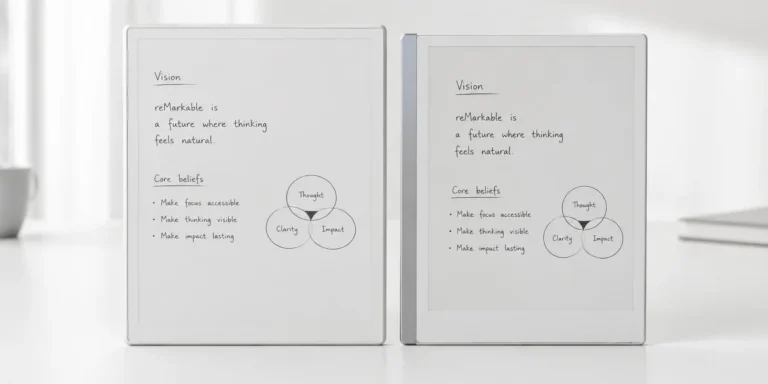
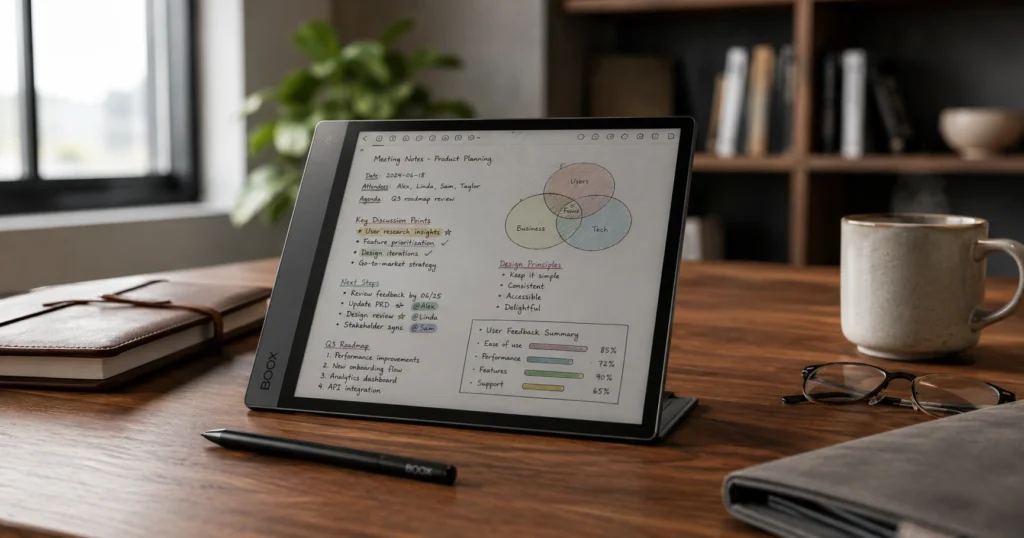
The reMarkable felt like the opposite philosophy the moment I turned it on and one thing to let you know that I didn’t switch because Note Air suddenly became bad, it’s still a great device. The calmer part of reMarkable Paper Pro is no app store, no browser, nothing competing for attention. Just the page.
It has an 11.8 inch Canvas Color display, 64GB storage, and comes with the Marker Plus pen which has a built in eraser. It’s battery life sits around two weeks easily under normal use.
It is priced at $579 with the pen included, sold directly through reMarkable and at retailers like Best Buy and Amazon.
For something smaller, reMarkable also sells the Paper Pro Move, a 7.3 inch version at $429, built for carrying around rather than sitting at a desk.
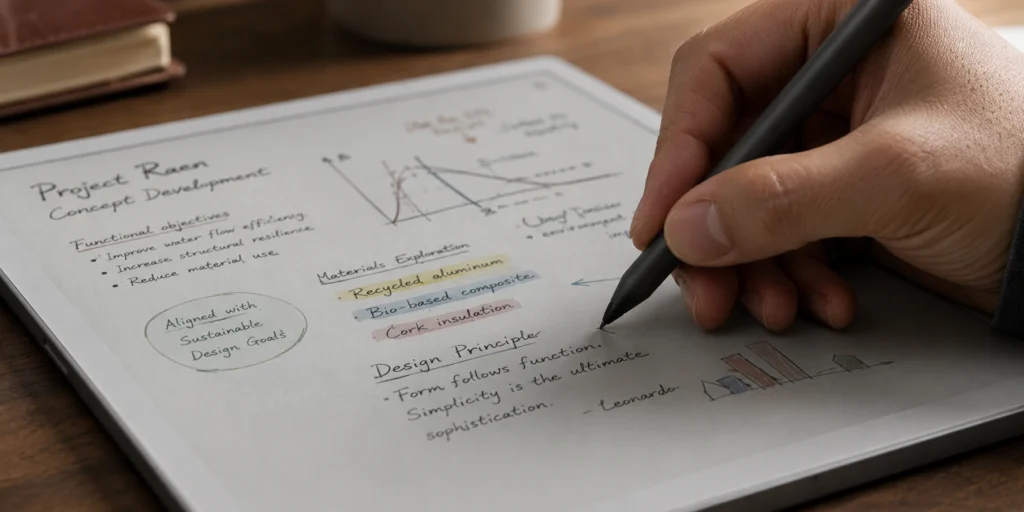
In 2026, reMarkable also released a cheaper option called the Paper Pure, a 10.3 inch black and white tablet starting at $399 with the standard pen, or $499 with the Marker Plus and a sleeve. It replaced the older reMarkable 2, which is no longer sold.
I used the Paper Pro mainly for outlining long pieces of writing before typing them up properly, and the pen feel is, honestly, the closest to pencil on paper I have tried in this category. The downside showed up later, when I wanted to quickly check something on Kindle and remembered there is no app for that here.
These might be best choices for writers and note takers who want zero distraction and do not need the device to do anything beyond writing and reading.


reMarkable Paper Pure
Buy from Here: remarkable.com
Kindle Scribe
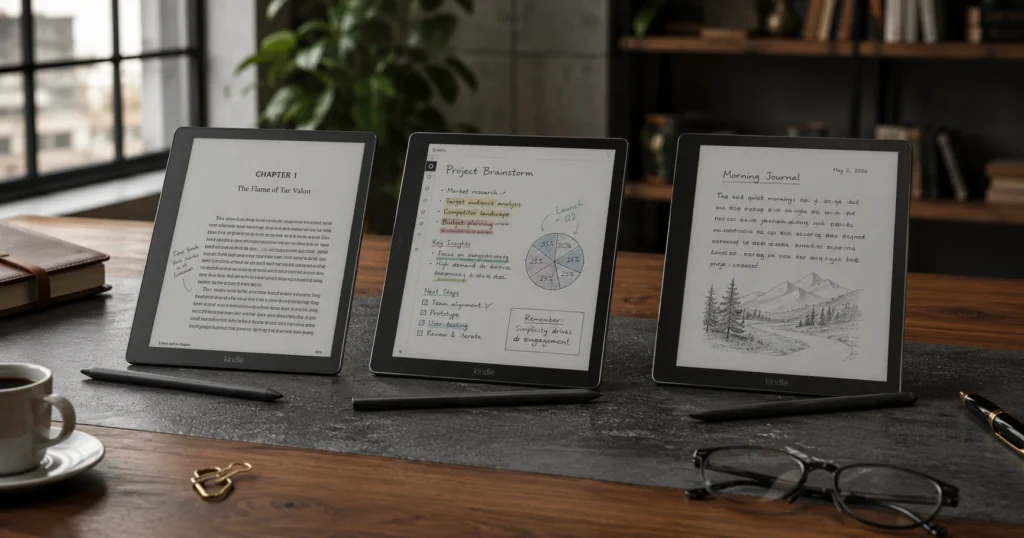
Amazon rebuilt its Scribe lineup in 2026, and it now ships in three versions on the same 11 inch, 5.4mm body.
- The base model, the Scribe Without Front Light, has 16GB storage at $479.99 (essentials included).
- The standard Kindle Scribe adds a front light and 32GB storage for$499.
- The version most people end up choosing. The top tier, the Kindle Scribe Colorsoft, brings an 11 inch color display and 32GB space starting at $629.99.
I carried the older Scribe on a two week trip and barely thought about charging it once. Page turns were instant, and since my existing library already lived in the Kindle app, switching over took no effort at all. That ecosystem pull is the device’s real strength.
Amazon has also confirmed a new AI feature called Ask This Book, which lets readers ask questions about whatever they are currently reading, expected to arrive through software updates later in 2026.
Where it falls short, at least for me, was note organization. It still feels like a reading device that gained writing tools, not a writing device that happens to read well. The Colorsoft version also softens mono text slightly because of the color filter layer, so if you mostly read plain text, the standard Scribe stays the sharper pick.
This I would say is best for people already inside the Kindle ecosystem who want occasional note-taking without switching brands.


Note:
E ink tablet pricing shifts constantly with bundle promotions, seasonal sales, and regional taxes. The numbers above reflect device-plus-pen pricing at the time of writing. Even though I verify all the prices myself before writing the articles, there is always a chance of human error. Always confirm current pricing directly on the manufacturer’s site before checkout.
Comparing Them Based on Real Use
For reading, Kindle Scribe wins simply because of how deep the library integration runs. BOOX comes close since it can also run the Kindle app. reMarkable trails slightly here, since it was never built around any particular ebook store.
For writing, reMarkable is clearly ahead. The pen feel and low latency make longer sessions feel natural in a way the others do not quite match.
For flexibility, BOOX is the obvious winner, since full Android access means you are never locked into one ecosystem.
For battery life, reMarkable and Kindle Scribe both perform similarly well, often lasting one to two weeks depending on use, while BOOX tends to need charging a bit more often because of the Android processor running in the background.
Comparison Table
| Feature | BOOX Note Air5 C | reMarkable Paper Pro | Kindle Scribe (Standard) |
|---|---|---|---|
| Screen Size | 10.3 inch | 11.8 inch | 11 inch |
| Display Type | Kaleido 3 Color E Ink | Canvas Color E Ink | Carta 1300 E Ink |
| Pen Latency | ~21ms | ~26ms | ~30ms |
| Storage | 64GB | 64GB | 32GB |
| RAM | 6GB | 2GB | 1GB |
| Battery Life | ~1 week | ~2 weeks | ~2 weeks |
| OS | Android 15 | Closed (proprietary) | Closed (Amazon) |
| App Support | Yes (Play Store) | No | No |
| Cloud Sync | Google Drive, Dropbox | reMarkable Cloud | Amazon Cloud |
| Price (2026) | ~$529 | ~$579 | ~$499.99 |
| Best For | Flexibility + productivity | Focused writing | Reading + notes |
| Where to Buy | BOOX Store, Amazon | reMarkable.com, Amazon, Best Buy | Amazon, Best Buy |
Who Should Actually Buy One
Students get the most out of devices that combine reading and handwritten notes in one place, since textbooks, PDFs, and lecture notes can all live on a single screen instead of scattered across apps.
Writers who think better with a pen than a keyboard will likely notice a real shift with reMarkable, since the closed software keeps the focus on writing alone.
Readers already deep into the Kindle ecosystem will get the most practical value from the Scribe lineup, especially if their library and highlights already live there.
Casual users who want one flexible device for reading, occasional notes, and a few apps should look at the BOOX Note Air series.
“An E Ink tablet will not make you more productive overnight. But it will quietly remove a lot of the things that were making you less productive without you noticing.”
Self Acclaimed Poet Eddie
Why E Ink Feels Like A Paper?
Most people use E Ink tablets without really understanding what makes the screen feel different. The technology itself is worth a quick explanation.
An E Ink display is filled with millions of tiny capsules, each containing black and white charged particles suspended in a clear fluid.
When an electric charge is applied, the black particles rise to the top and the white ones sink, or the other way around, creating text and images. Because the particles physically move and then stay in place, the screen holds an image without drawing any power at all. Power is only used when the page changes.
This is why E Ink battery life is measured in weeks instead of hours. It is also why the screen looks so flat and calm, because there is no light being actively projected at your eyes, only light being reflected off the surface the same way a printed page reflects it.
The newer color E Ink panels, like Kaleido 3 used in BOOX tablets, add a color filter layer on top of the standard black and white base. This is what makes color work on E Ink, though it also explains why color display E Ink still looks slightly softer than a printed color photo. The technology is improving fast, and the gap between current color E Ink and full print quality is narrowing every generation.
My 2 Cents After Long Term Use
None of these tablets fully replaced my regular tablet, and I am not sure that was ever really the point. What changed was how I split my time. Deep reading and note-taking moved almost entirely onto an E Ink device, while everything else stayed where it was.
What I liked most was the quiet. A screen that cannot ping you or pull you sideways into something unrelated does something to your focus that is hard to explain until you have lived with one for a few weeks.
What I liked least was the price of entry, plus the learning curve on the more open systems like BOOX. There were a few nights early on where I genuinely wondered if I had wasted money. That doubt faded by month two, mostly because my notes stopped being scattered everywhere and my reading habits actually held up.
Which E Ink Tab I Would Buy Personally
After spending real time with all three, my answer to whether the best e ink tablets are worth buying is a careful yes, depending on what you already use daily. Heavy Kindle readers should stay inside that ecosystem.
Writers who want focus should look at reMarkable. Anyone who wants flexibility and outside apps should lean toward BOOX.
Prices in this category shift often around shopping events, so it is worth checking current pricing on the official stores or Amazon before buying. If eye strain or constant distraction has been quietly bothering your reading habits, trying one of these for a few weeks is a fair way to find out if it fixes that for you too.
FAQs
Are E Ink tablets good for studying or just for casual reading?
They work surprisingly well for studying, better than most people expect before trying one. You can annotate PDFs, highlight text, write notes directly on documents, and organize everything by subject. The biggest advantage for students is the lack of distraction. There is no YouTube tab open in the background, no notification pulling you away mid-chapter. For someone who genuinely struggles to stay focused while studying on a laptop or regular tablet, the difference is noticeable within the first week.
Can I use a BOOX tablet without knowing anything about Android?
Yes, reasonably well. BOOX sets up its own home screen and reading interface on top of Android, so most users never need to go deep into Android settings at all. The experience out of the box is straightforward enough for non-technical users. Where it gets slightly more involved is if you want to manually install apps, adjust refresh modes, or tweak performance settings, but none of that is required to use the tablet for everyday reading and writing.
Is reMarkable worth it without the subscription?
For basic use, yes. Without a subscription you can still write, read, and organize your notebooks on the device itself. What you lose is seamless cloud sync across devices and the ability to share or access your notes from a browser or phone. If you only use the tablet as a standalone notebook and export files manually when needed, the free tier is functional enough. If you want your notes automatically available everywhere, the subscription at around $3 to $8 per month depending on the plan starts making sense.
How does an E Ink tablet handle reading in bright sunlight or outdoors?
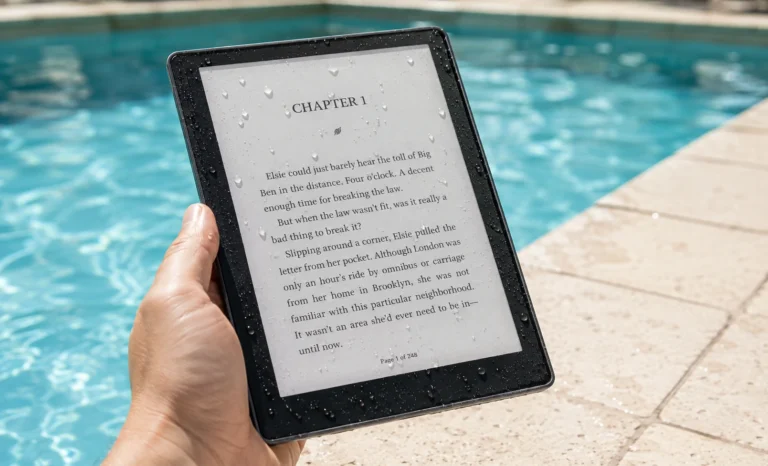
This is actually one area where E Ink has a clear advantage over regular tablets. Because the screen reflects light rather than projecting it, brighter ambient light makes the display easier to read, not harder. Reading outdoors in sunlight on an E Ink tablet feels close to reading a physical book. Standard LCD or OLED tablets wash out badly in direct sunlight. If you read or work outdoors often, this difference alone can make an E Ink device worth considering.
Do E Ink tablets work with third party styluses or do you have to use the official pen?
This depends on the brand. BOOX tablets support EMR (Electromagnetic Resonance) technology, which means they are compatible with a wide range of third party styluses including certain Wacom pens, not just the official BOOX pen. reMarkable uses its own proprietary pen protocol, so third party options are very limited and the experience with unofficial pens is hit or miss. Kindle Scribe uses a magnetic pen that is proprietary to Amazon. For the most flexibility in stylus choice, BOOX is the better option.